How to Get Teams to Use Project Management Software
Learn how to get your team to consistently use project management software. Improve adoption, build habits, and make the system part of daily work.
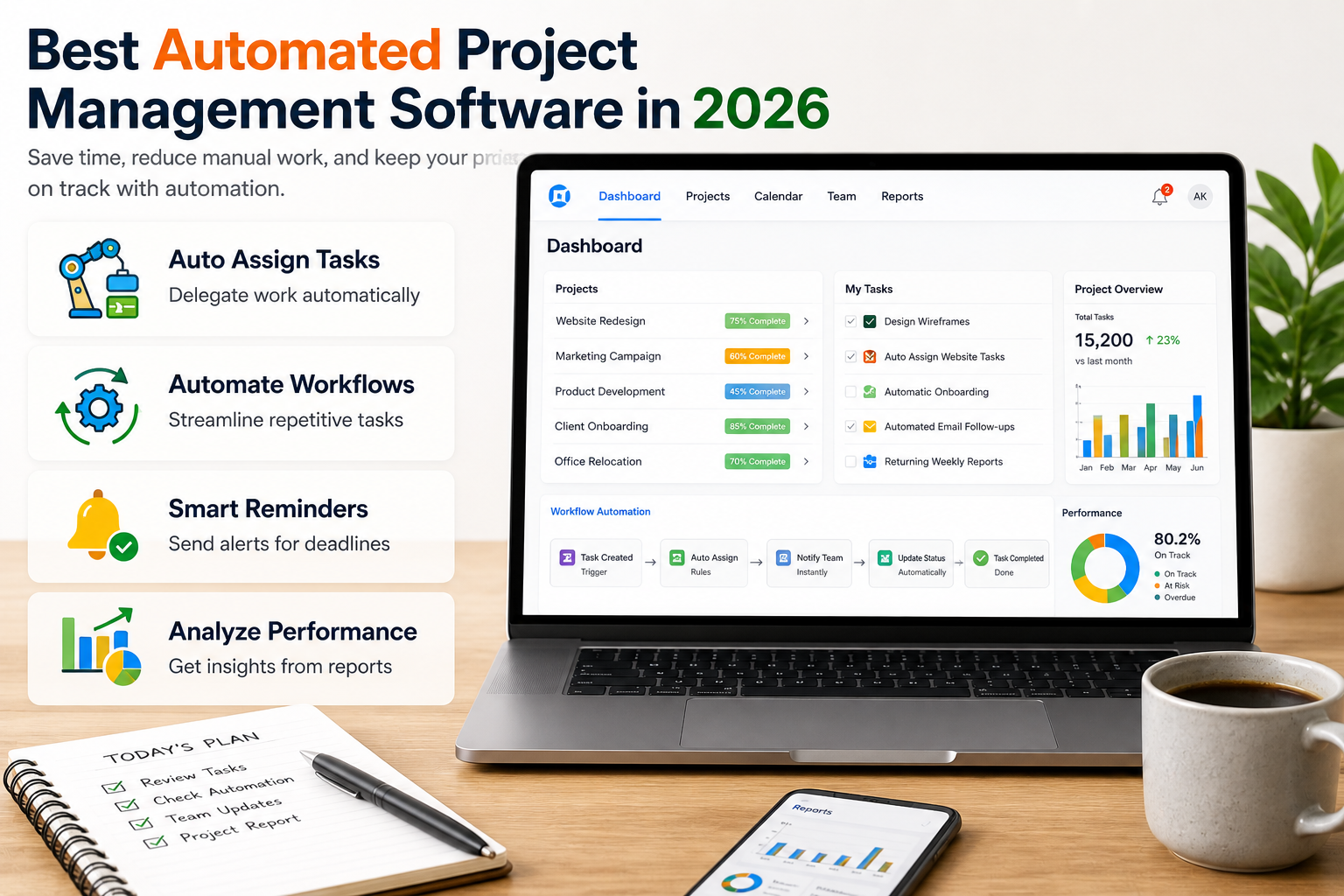
Project management tools have added automation and intelligence features at a rapid pace over the past two years. The practical reality, confirmed by practitioners who have spent time with these tools, is that many of the promoted features are superficial: a text summarisation button that generates a paragraph nobody reads, or a risk indicator that flags every overdue task as high risk regardless of context. A smaller number of features, in a smaller number of tools, deliver genuine time savings and reduce real coordination overhead.
This guide evaluates which automated project management capabilities are worth paying for in 2026, which tools deliver them most reliably, and what the extra cost looks like relative to the base platform price.
Practitioners who have tested these tools at length identify a consistent split between features that save measurable time and features that are available but rarely used.
Features that deliver real value:
Calendar-based auto-scheduling (Motion, Reclaim.ai). These tools ingest your task list and your calendar and schedule blocked work time around existing meetings. The benefit is measurable: teams using Motion report fewer context-switching interruptions and higher completion rates on deep-work tasks. The limitation is that auto-scheduled blocks get overridden when meetings are added, requiring the system to continuously reoptimise.
Rule-based workflow automation (ClickUp, Asana, Monday.com). Triggers that move tasks, notify teammates, or update statuses based on conditions (when a task is marked complete, notify the next person; when a due date passes, escalate to the manager) are genuinely time-saving and widely adopted. These are not novel features in 2026 but they are used consistently and reliably.
Meeting summary and action item extraction. When integrated with meeting recording tools (Zoom, Google Meet, or Microsoft Teams), some platforms extract action items and create tasks automatically. The accuracy varies: most miss 20 to 30 percent of action items and occasionally create tasks from hypothetical discussions. Used with human review, this feature saves 10 to 15 minutes per meeting.
Task creation from natural language prompts. Typing a sentence that creates a structured task with a title, assignee, due date, and priority reduces the friction of task entry enough that more tasks get created at the moment they are identified rather than forgotten.
Features that are available but rarely useful:
Risk prediction scores. Most implementations flag tasks that are overdue or approaching their due date as "at risk." This is not prediction; it is a status indicator. Genuine risk prediction requires historical completion data per task type and per team member that most teams have not accumulated in the platform.
Automated project status summaries. These produce a paragraph summarising task completion rates that a manager who checks the dashboard once a week already knows. The format rarely matches what stakeholders need in a report.
Smart resource management. Recommendations based on workload data are only as accurate as the task estimates that team members have entered. In most teams, task time estimates are absent or systematically optimistic, making workload recommendations unreliable.
Compare top automation-focused project management tools based on features, pricing, and real-world usability.
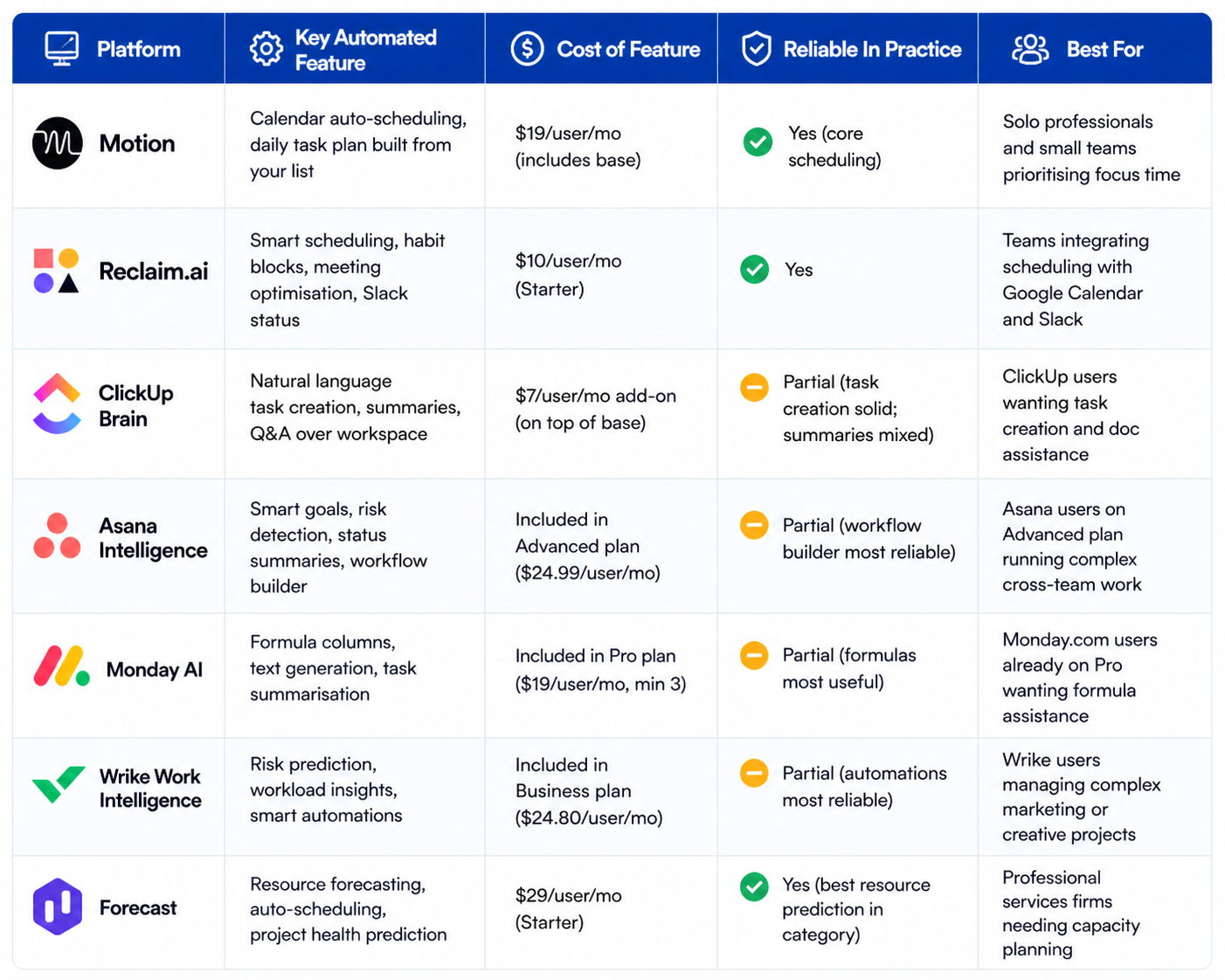
Platform | Key Automated Feature | Cost of Feature | Reliable In Practice | Best For |
|---|---|---|---|---|
Motion | Calendar auto-scheduling; daily task plan built from your list | $19/user/mo (includes base) | Yes (core scheduling) | Solo professionals and small teams prioritising focus time |
Reclaim.ai | Smart scheduling, habit blocks, meeting optimisation, Slack status | $10/user/mo (Starter) | Yes | Teams integrating scheduling with Google Calendar and Slack |
ClickUp Brain | Natural language task creation, summaries, Q&A over workspace | $7/user/mo add-on (on top of base) | Partial (task creation solid; summaries mixed) | ClickUp users wanting task creation and doc assistance |
Asana Intelligence | Smart goals, risk detection, status summaries, workflow builder | Included in Advanced plan ($24.99/user/mo) | Partial (workflow builder most reliable) | Asana users on Advanced plan running complex cross-team work |
Monday AI | Formula columns, text generation, task summarisation | Included in Pro plan ($19/user/mo, min 3) | Partial (formulas most useful) | Monday.com users already on Pro wanting formula assistance |
Wrike Work Intelligence | Risk prediction, workload insights, smart automations | Included in Business plan ($24.80/user/mo) | Partial (automations most reliable) | Wrike users managing complex marketing or creative projects |
Forecast | Resource forecasting, auto-scheduling, project health prediction | $29/user/mo (Starter) | Yes (best resource prediction in category) | Professional services firms needing capacity planning |
Choose the tool that best fits your workflow automation needs, team size, and level of operational complexity.
Automation and intelligence features typically add $7 to $12 per user per month to the base platform cost, or they are bundled into higher plan tiers. For a 15-person team, ClickUp Brain adds $105 per month to the platform cost; Asana Intelligence requires upgrading to Advanced at roughly $375 per month for 15 users, compared to $165 per month on the Starter plan. Motion at $19 per user per month for 15 users costs $285 per month but includes the full platform without a separate add-on model. The payback calculation depends entirely on whether the team uses the automation features consistently; platforms where the features require manual activation per task rarely see the adoption rates that justify the premium.
Feature | Best Platform | Reliable in Practice? | Time Saved Per User/Week |
Calendar auto-scheduling | Motion, Reclaim.ai | Yes | 2 to 4 hours |
Rule-based workflow automation | ClickUp, Asana, Monday.com | Yes | 1 to 2 hours |
Meeting action item extraction | Asana + Zoom integration | Partial (needs human review) | 30 to 60 minutes |
Natural language task creation | ClickUp Brain, Asana | Yes (task creation specifically) | 30 to 45 minutes |
Resource capacity forecasting | Forecast, Wrike | Partial (requires accurate estimates) | 1 to 3 hours (if estimates are good) |
Risk prediction scores | Most platforms | No (generally just overdue flags) | Minimal |
Project status summaries | ClickUp, Asana, Monday | No (rarely matches stakeholder format) | Minimal |
A detailed review and tutorial of Motion's automated scheduling features, covering task prioritisation, calendar blocking, team project tracking, and the daily plan view. Published February 2024 by Efficient App. Useful for professionals evaluating Motion against Reclaim.ai or a standard project management tool without scheduling automation.
The most reliable automated features are: rule-based triggers that move tasks, notify team members, or update statuses when conditions are met; calendar scheduling that blocks time for tasks around existing meetings; natural language task creation from a typed or spoken description; and meeting recording integrations that extract action items into the task system. More speculative features, including risk scores and project health summaries, are available on most platforms but deliver inconsistent value in typical team conditions.
Calendar scheduling tools (Motion, Reclaim.ai) are worth the cost for professionals whose primary constraint is focus time: they consistently save 2 to 4 hours per week for users who adopt them. Rule-based workflow automation in ClickUp, Asana, and Monday.com is worth the cost if the team actually configures the automations; most teams on those platforms use fewer than 20 percent of available automations. Premium plan upgrades specifically for risk prediction and project summaries are rarely worth the price difference based on current practitioner experience.
ClickUp Brain is an add-on ($7/user/month) that adds natural language task creation, document drafting, and a Q&A interface over the ClickUp workspace. Asana Intelligence is bundled into the Advanced plan and focuses on smart goals, workflow suggestions, and status summaries. Monday AI is included in the Pro plan and offers formula assistance, text generation for task descriptions, and basic summarisation. All three have the same underlying limitation: they are most useful for task creation and least useful for the predictive and analytical features that their marketing leads with.
This is a legitimate concern that most vendor marketing materials understate. When you use text generation or summarisation features, task titles, descriptions, comments, and sometimes file names are sent to third-party language model APIs (commonly OpenAI or Anthropic). Most enterprise plans offer data processing agreements that prohibit use of your data for model training. Verify the specific data processing terms for your plan tier before enabling these features with client project data, sensitive personnel information, or proprietary business details.
Motion and Reclaim.ai are the two strongest dedicated scheduling tools. Motion builds a daily scheduled plan from your task list, calendar, and priorities, and reschedules automatically when meetings are added or tasks slip. Reclaim.ai focuses more on protecting habit blocks, optimising meeting times, and synchronising Slack status with calendar state. Both integrate with Google Calendar and have limited but functional Microsoft Outlook integration. Motion is typically preferred by individuals managing their own workload; Reclaim.ai is typically preferred by teams wanting to optimise collective scheduling patterns.
Not reliably, based on current practitioner experience. Risk scores in most platforms flag tasks that are overdue or approaching their due date as at-risk. This is a status indicator, not a prediction. Genuine schedule risk prediction requires historical data on how long similar tasks have taken for this team, which most platforms have not accumulated with enough structure to produce actionable recommendations. Forecast is the strongest tool for this specific use case because it requires teams to enter estimates and tracks actuals, building the dataset that risk prediction needs. Other platforms are working toward this capability but are not there yet in 2026.
Learn how to get your team to consistently use project management software. Improve adoption, build habits, and make the system part of daily work.
Learn how to prioritize tasks in a project management system. Understand what to focus on first and how to manage tasks without confusion or delays.
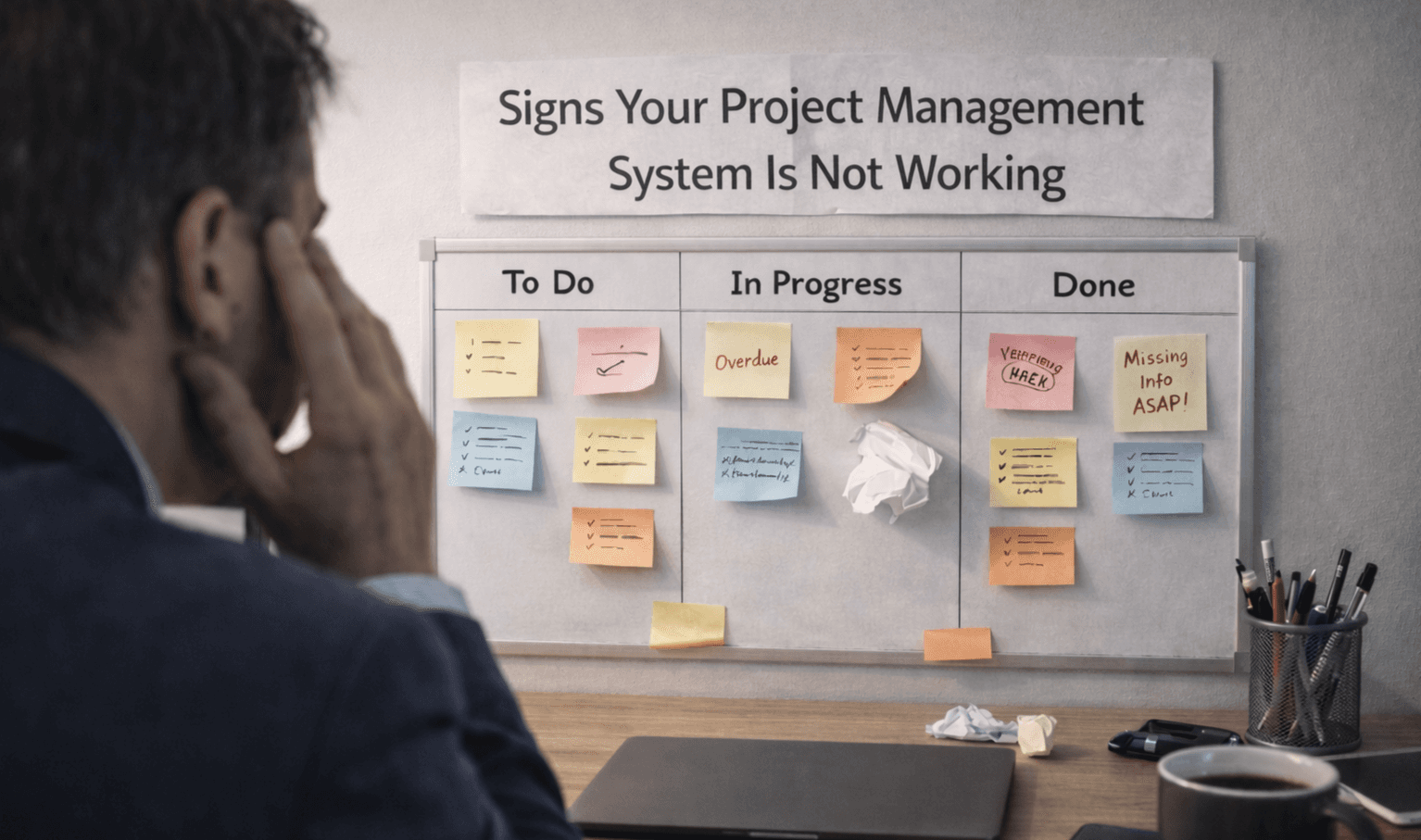
Learn the key signs your project management system is not working. Spot issues early and understand where your workflow is breaking down.

Learn how to manage multiple projects without losing track of work. Use simple systems and clear visibility to stay organized and keep teams aligned.