
How to Get Teams to Use Project Management Software
Learn how to get your team to consistently use project management software. Improve adoption, build habits, and make the system part of daily work.
Most small businesses outgrow their initial project tracking system before they realise it has happened. Tasks live in email threads. Deadlines exist in a shared Google Calendar that three people have interpreted differently. The status of any given piece of work requires a meeting to establish. By the time an owner is running a five-to-fifteen-person operation with multiple concurrent client or internal projects, the absence of a shared system becomes a weekly source of confusion and missed commitments.
This guide covers what small businesses actually need from project management software, which tools work well at that scale, where the free tiers genuinely hold up, and where the adoption process fails and why.
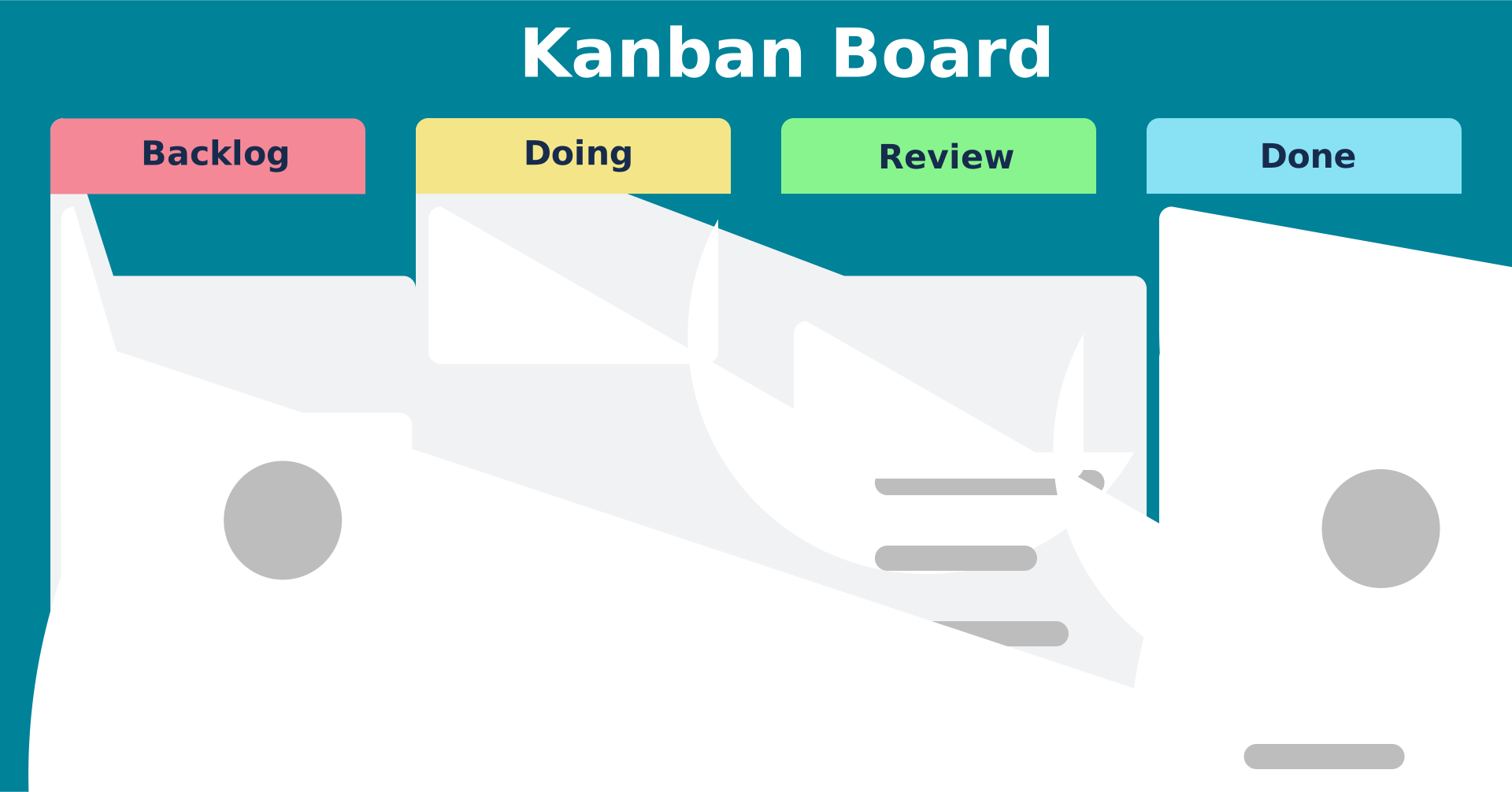
A basic Kanban board. Most small business project management tools offer a Kanban view as their default interface because it maps naturally to how small teams already think about work: tasks move from pending to in-progress to complete. The challenge is building the habit, not learning the interface.
A 15-person marketing agency and a 10-person construction firm have different needs from project management software. The honest common ground is narrower than most vendor pages suggest:
Task assignment with clear ownership. Every piece of work has one name next to it. This alone eliminates the majority of missed-commitment situations.
Due dates that everyone sees. A shared view of what is due and when, accessible to the whole team without a meeting.
Status tracking without a status meeting. The owner or manager can see what is on track, what is late, and what is blocked without asking.
Client or external collaboration. Guest access for clients, vendors, or contractors without paying for a full seat for each.
File attachment and comments in context. Decisions and documents attached to the task they relate to, rather than in an email thread or a shared drive folder with no naming convention.
A mobile app that actually works. Most small business team members are not at a desk all day. The mobile experience is not optional.
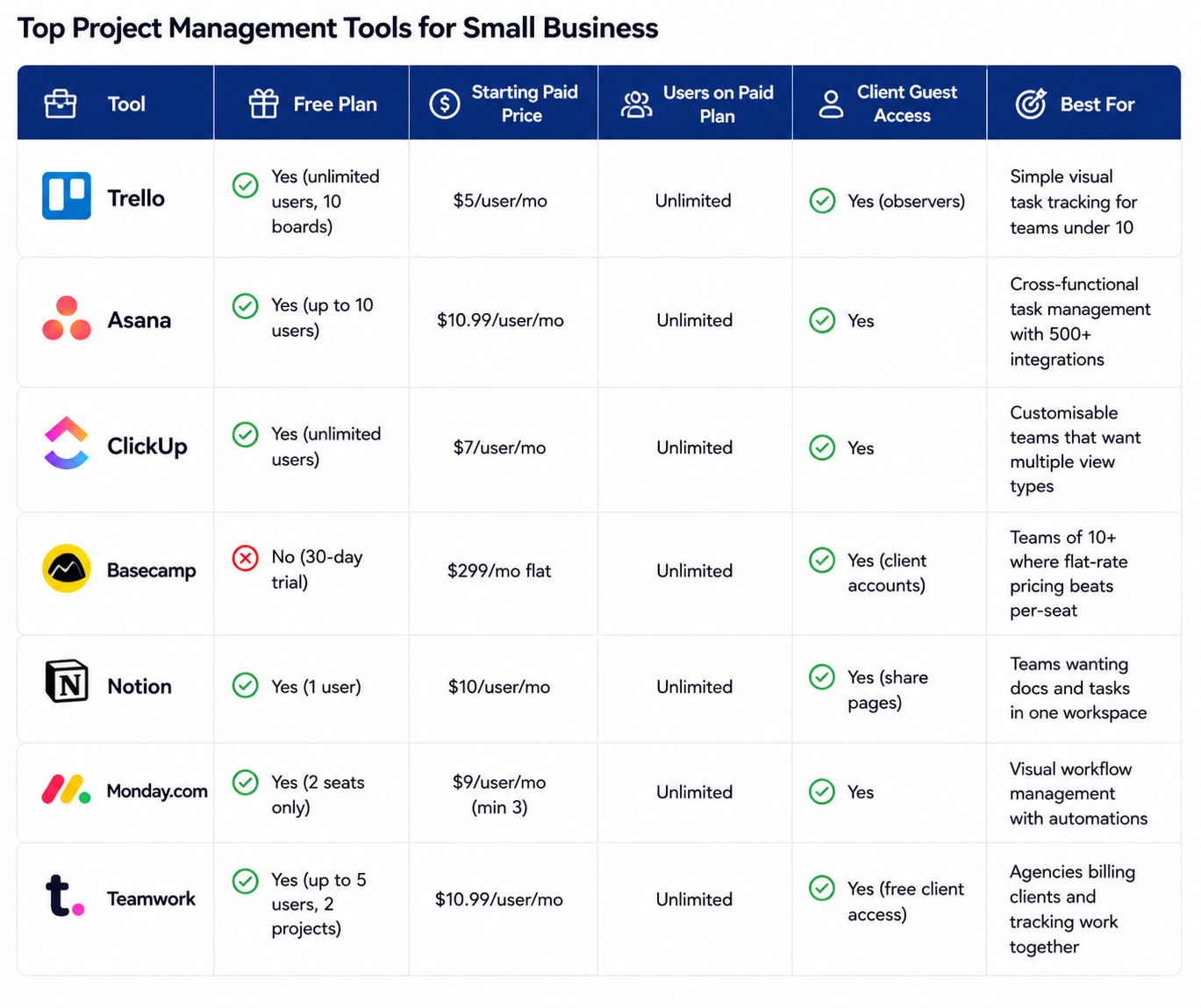
Tool | Free Plan | Starting Paid Price | Users on Paid Plan | Client Guest Access | Best For |
|---|---|---|---|---|---|
Trello | Yes (unlimited users, 10 boards) | $5/user/mo | Unlimited | Yes (observers) | Simple visual task tracking for teams under 10 |
Asana | Yes (up to 10 users) | $10.99/user/mo | Unlimited | Yes | Cross-functional task management with 500+ integrations |
ClickUp | Yes (unlimited users) | $7/user/mo | Unlimited | Yes | Customisable teams that want multiple view types |
Basecamp | No (30-day trial) | $299/mo flat | Unlimited | Yes (client accounts) | Teams of 10+ where flat-rate pricing beats per-seat |
Notion | Yes (1 user) | $10/user/mo | Unlimited | Yes (share pages) | Teams wanting docs and tasks in one workspace |
Monday.com | Yes (2 seats only) | $9/user/mo (min 3) | Unlimited | Yes | Visual workflow management with automations |
Teamwork | Yes (up to 5 users, 2 projects) | $10.99/user/mo | Unlimited | Yes (free client access) | Agencies billing clients and tracking work together |
Most small teams will lean toward tools like Trello or ClickUp for flexibility, while growing teams often shift to Asana or Monday.com for better structure and scalability.
Asana's free plan covers up to 10 users with unlimited tasks, basic boards, and list views. It lacks Gantt charts, time tracking, and custom fields. For a service business tracking client work with a team of 8 or fewer, it is genuinely functional. ClickUp's free plan includes unlimited users and tasks, 100MB storage, and multiple views including list, board, and calendar. The limitation is storage and some automation caps, not core functionality. Trello's free plan includes unlimited users and unlimited cards, limited to 10 boards per workspace and no Gantt view. For a team with fewer than five concurrent projects, it is sufficient. Basecamp has no free plan but is often the most economical option once a team exceeds 15 users.
Tool | Free Plan Limits | Works For | Breaks When |
|---|---|---|---|
Asana Free | 10 users, no Gantt, no custom fields | Service teams under 10 people | You need dependencies, time tracking, or reporting |
ClickUp Free | Unlimited users, 100MB storage, limited automations | Teams under 15 with diverse view needs | You exceed storage or need advanced automations at volume |
Trello Free | Unlimited users, 10 boards, no Gantt or dependencies | Simple single-workflow teams | You manage 5+ concurrent projects |
Notion Free | 1 user only (solo); paid for teams | Solo founders | You add a second person |
Teamwork Free | 5 users, 2 projects, limited integrations | Agencies with one or two active clients | Third client project starts |
Roughly 25 to 30 percent of small businesses that purchase project management software report that their team is not actually using it within 90 days. The tool is not usually the problem. Three things determine whether a rollout holds. The owner or manager must use the tool visibly and consistently: if the boss assigns work by Slack DM after buying the tool, the team reads the signal correctly and reverts. The old system must be shut down deliberately: running the new tool alongside the existing email or spreadsheet workflow for more than two weeks ensures the new tool loses. And the first 30 days should prioritise habit over features: import existing tasks, create the views people need, and add complexity only after the core habit of checking the tool daily is established.
Choose a tool that matches how your team actually works today, not just future plans. Start simple, focus on adoption, and scale into more advanced features as your projects and team complexity grow.
Asana's free plan is the strongest for teams up to 10 people doing service or client work. ClickUp's free plan is the strongest for teams that need multiple view types (list, board, calendar, Gantt) without paying. Trello is the simplest starting point for teams that primarily need a shared task board without advanced features. All three are genuinely functional at the free tier for businesses with relatively simple project structures.
Yes, for teams above 15 users. At $9 to $11 per user per month on competitive platforms, a 20-person team pays $180 to $220 per month. Basecamp at $299 includes unlimited users, which makes it cheaper as the team grows. For teams under 10 users, the per-seat alternatives are usually less expensive. Basecamp's design philosophy deliberately limits features (no native Gantt, no time tracking), which suits teams that want simplicity but frustrates those who need those capabilities.
Yes, most platforms include guest or client access. Teamwork provides free client seats with read-only or comment access. Basecamp's client accounts are a core feature of the platform. ClickUp and Asana both offer guest seats at the paid tier. Monday.com includes guest access on paid plans. The specific permissions available to guests (view only, comment, create tasks) vary by platform and plan level.
Not necessarily. For a five-person team doing highly routine work with stable processes and consistent clients, a shared spreadsheet plus a communication tool may be sufficient. The indicators that you need dedicated software are: repeated missed deadlines, regular confusion about task ownership, time wasted establishing status rather than doing work, and difficulty onboarding new team members quickly. If any three of those apply, dedicated software is worth the investment.
Trello has the shortest learning curve of any platform with meaningful functionality: a new user can create a board, add cards, and assign team members within 10 minutes. Monday.com is the next-easiest, with a spreadsheet-like interface that feels familiar to anyone comfortable with Excel. Asana and ClickUp have steeper initial learning curves but more capability once the team has used them for 30 days.
At $7 to $11 per user per month (annual billing), a 10-person team pays $70 to $110 per month, or $840 to $1,320 per year. Basecamp at $299 per month flat rate is more expensive for a 10-person team than most per-seat alternatives. ClickUp is the cheapest at $7 per user per month. Asana is $10.99 and Monday.com starts at $9 (minimum 3 seats). Free plans from Asana and ClickUp eliminate the cost entirely for teams that stay within the free tier limits.
Learn how to get your team to consistently use project management software. Improve adoption, build habits, and make the system part of daily work.

Learn how to prioritize tasks in a project management system. Understand what to focus on first and how to manage tasks without confusion or delays.
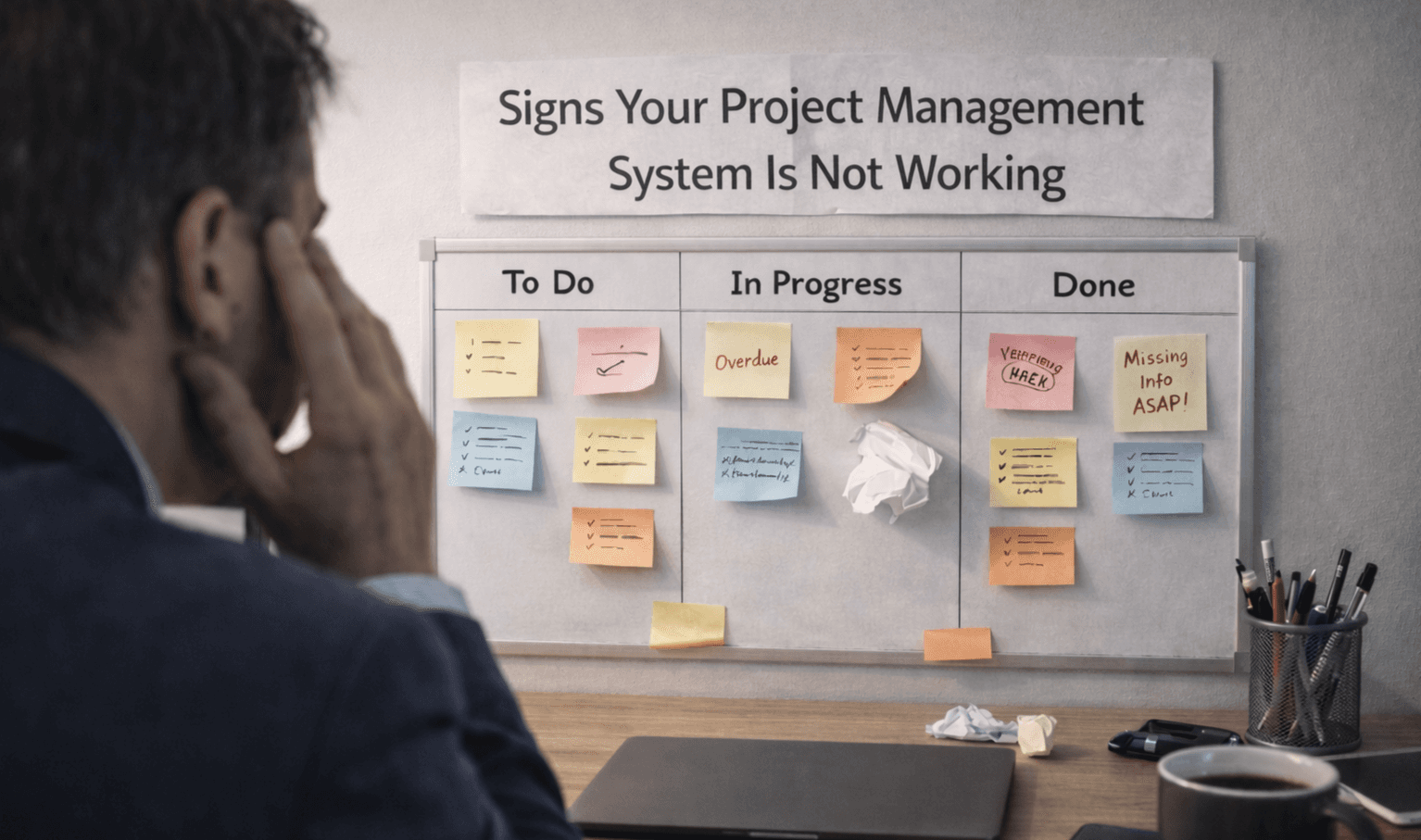
Learn the key signs your project management system is not working. Spot issues early and understand where your workflow is breaking down.

Learn how to manage multiple projects without losing track of work. Use simple systems and clear visibility to stay organized and keep teams aligned.