
Why Teams Stop Using Project Management Software
Many teams start using Project Management Software with good intent. The tool is set up, tasks are added, and everyone seems aligned in the beginning. A few weeks later, usage drops. Tasks stop getting updated, and teams go back to chats or emails. The problem is not the tool. It is how teams interact with it over time.
What Actually Happens After the First Few Weeks
At the start, there is focus and attention. Over time, habits take over.
Initial excitement fades after setup
Team returns to old habits
Tasks stop getting regularly updated
Work shifts back to chats
The system becomes secondary to work
This is where Project Management Software slowly loses its place in daily work.
Common Reasons Teams Stop Using It
Most teams face similar issues. These are not technical problems, but usage problems.
Too many tools are used together
No clear ownership of tasks
Tasks not linked to real work
Updates feel like extra effort
No visible value in daily use
When these patterns accumulate, the system starts to be ignored.
How Usage Drops Over Time
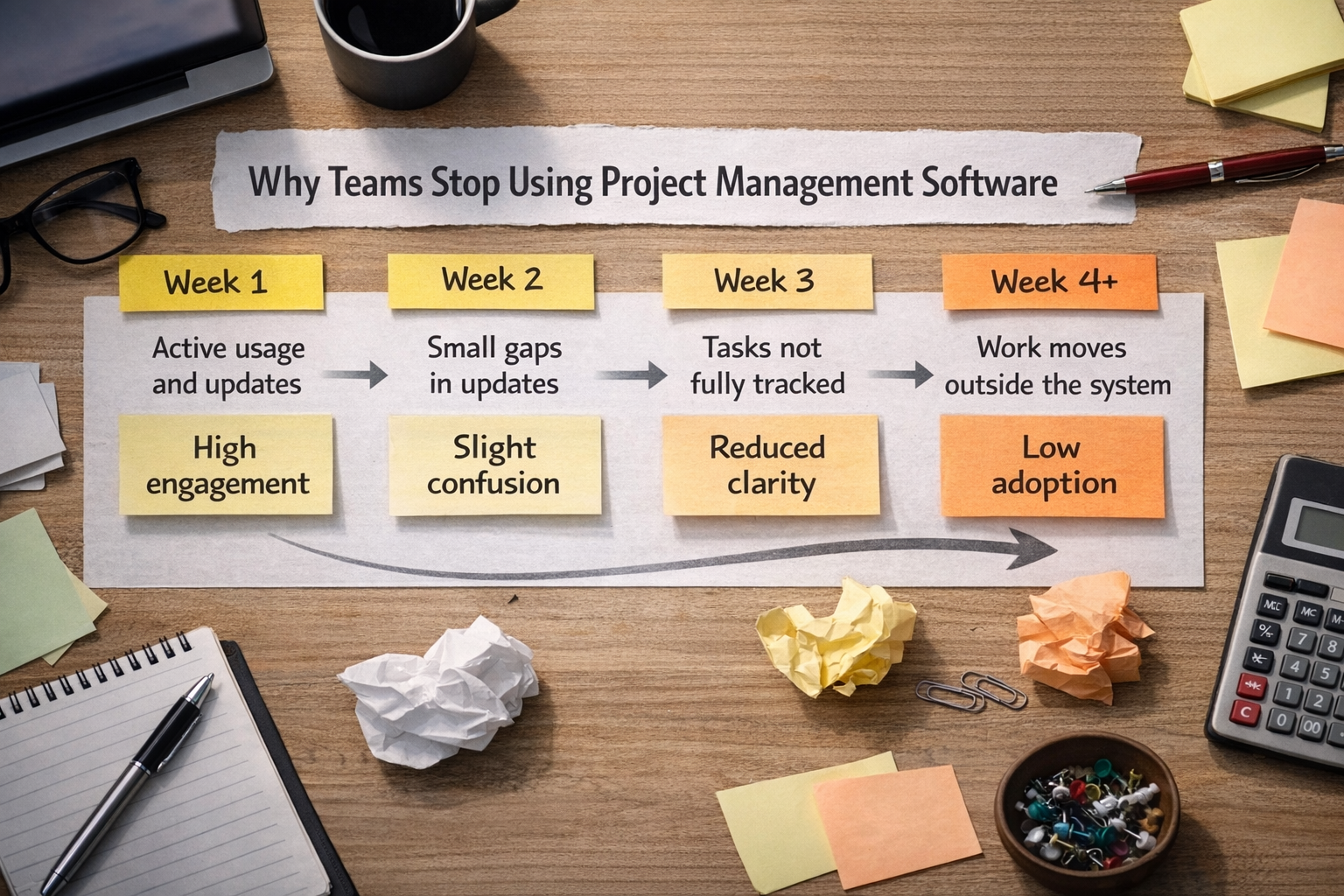
Stage | What Happens | Result |
|---|---|---|
Week 1 | Active usage and updates | High engagement |
Week 2 | Small gaps in updates | Slight confusion |
Week 3 | Tasks not fully tracked | Reduced clarity |
Week 4+ | Work moves outside system | Low adoption |
This shift happens gradually, not all at once.
The Real Issue Is Not the Tool
Many teams think they chose the wrong platform. In most cases, that is not true. The issue is that Project Management Software is not treated as the place where work happens.
Tasks are created but not followed
Work happens outside the system
Updates are delayed or skipped
The team does not rely on it daily
No habit of checking progress
Without consistent usage, even the best system fails.
What Teams Expect vs What Actually Happens
There is often a gap between expectations and reality.
Expect the tool to solve workflow issues
Expect instant team adoption
Expect perfect tracking from day one
Expect less communication effort
Expect everything to stay organized
In reality, tools only support work. They do not replace team behaviour.
Small Patterns That Lead to Drop-Off
Usage does not stop suddenly. It fades through small gaps.
Skipping updates for small tasks
Not checking the system daily
Managing urgent work outside tool
Ignoring incomplete task statuses
Lack of follow up on ownership
These small actions slowly reduce reliance on the system.
Signs Your Team Is About to Stop Using It
You can usually see it coming before it fully drops.
Tasks remain incomplete for days
Team asks updates outside system
Boards do not reflect real work
Fewer updates during the week
Team stops checking dashboards
At this point, Project Management Software is no longer the main source of truth.
Frequently Asked Questions
Why do teams abandon project management tools quickly?
Teams stop using them when they do not see value in daily work or when updates feel like extra effort.
How long does it take for adoption to fail?
In many cases, usage starts dropping within two to four weeks after initial setup.
Is the problem the software or the team?
Most of the time, it is a usage issue, not a software problem.
Why do teams go back to chat or email?
Because it feels faster and requires less structured input compared to updating tasks.
Can project management software fail even if it is set up correctly?
Yes, if the team does not use it consistently, the system will not work.
Related Posts

How to Get Teams to Use Project Management Software
Learn how to get your team to consistently use project management software. Improve adoption, build habits, and make the system part of daily work.

How to Prioritize Tasks in Project Management System
Learn how to prioritize tasks in a project management system. Understand what to focus on first and how to manage tasks without confusion or delays.